Mira® Pro™ is a native 64-bit application with a slightly reduced feature set from Mira® Pro x64™. It provides research caliber image calibration, data reduction, visualization, and measurement tools in a highly integrated, easy to use environment. It omits the Pro Script™ Module and the MExtract™ module.
Application areas: Astronomy and Space Science, Research & Education
Note: Mira Pro is a scaled-back version of our flagship 64-bit product Mira Pro x64. Mira Pro is also a 64-bit application, although this is not reflected in its name which was already taken by Mira Pro x64 which was released along with the Windows 10 x64 operating system.
The 64-bit edition of Mira Pro utilizes the 64-bit memory space and provides faster processing than 32-bit software. As a native 64-bit application, it requires 64-bit Windows or 100% compatible platform.

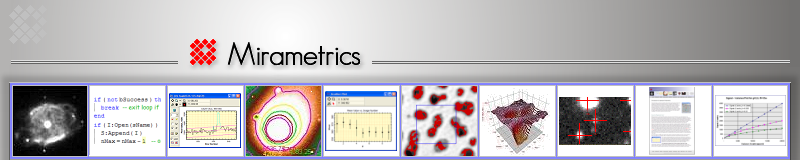
Mira Pro showing images, plots, 3-D, measurements, and analysis
Introducing Mira Pro
Mira Pro™ offers the professional researcher or educator class-leading tools. Mira Pro includes an extensive collection of richly integrated, easy to use tools for image visualization, precision measurement, and data reduction. For more advanced tools, including a powerful programming extension language for scripting and other uses, see Mira Pro x64.
One year of maintenance is included; after one year, discounted annual maintenance is available to provide tech support and keep your software current.
New Features in the 64-bit Edition of Mira Pro
These new features for Mira Pro are also available in Mira Pro x64:
- Improved and enhanced Express Calibration tool, a powerful yet slightly simplified version of that provided in Mira Pro x64.
- New chart package for creating presentation graphics (in addition to the standard Plotting package).
- New command to modify keywords (add, change value, and rename) in image headers.
- New command for specifying the type of region statistics to be measured (useful, for example, to compare alpha-clipped mean and standard deviation with those for ordinary mean, median, sigma-clipped, or several other estimators).
- New single-keystroke commands work with the image cursor to make measurements and plots (shortcuts).
Software Applications
- Mira Pro makes it easy to make research quality photometric measurements of any number of stars with any number of standards on any number of images. Doing ensemble photometry, plotting light curves, importing objects from target lists, and reporting results are a snap!
- Use Mira Pro as a powerful, general-use tool for astronomical research, including areas like variable star research, exo-planet search, milli-mag level photometry, supernova patrol, minor planet detection and rotation, and data mining.
- Provides powerful tools for astronomical data reduction and visualization.
- Mira Pro is also great for analyzing 2-D and 3-D numerical models and simulations.
- Excellent for synoptic studies involving measurement or analysis of photometry, coordinates, distances, angles, brightness, and other parameters.
Key Features
- Mira's outstanding GUI puts advanced tools where you expect them, freeing you to think about science, not using software.
- Utilize Mira's superior visualization and analysis tools to get more from image data and numerical simulations.
- Realize complex data reduction strategies using simplified, intuitive commands and procedures.
- Measure science-grade coordinates, distance, angles, FWHM, statistics, magnitudes, and more, in image units and FITS World Coordinates.
- Work with FITS and other standard image formats using 8 to 64-bit numeric data (integer and real pixel types) plus 24-bit and 48-bit color.
Hot Topics
Note to IRAF users: Why Mira ?

Related Products:
- Mira Pro x64 (native 64-bit application; also adds the source extraction module, file event scripting, and a powerful programming extension language for scripting and other computational needs).
More Information
- Purchase
- Mira Pro User's Guide
- Feature Comparison
- Feature List
- Mira vs. IRAF
- Photometry Example
- Image Registration
Recent Research
- Icarus 187 (2007) 285-295.
Requirements
- Windows XP SP3, Windows Vista, Windows 7/8/10 (64-bit), or 100% compatible Windows environment on Linux or Mac.
- Hard Drive Space: 100 MB.
- Memory: 4GB